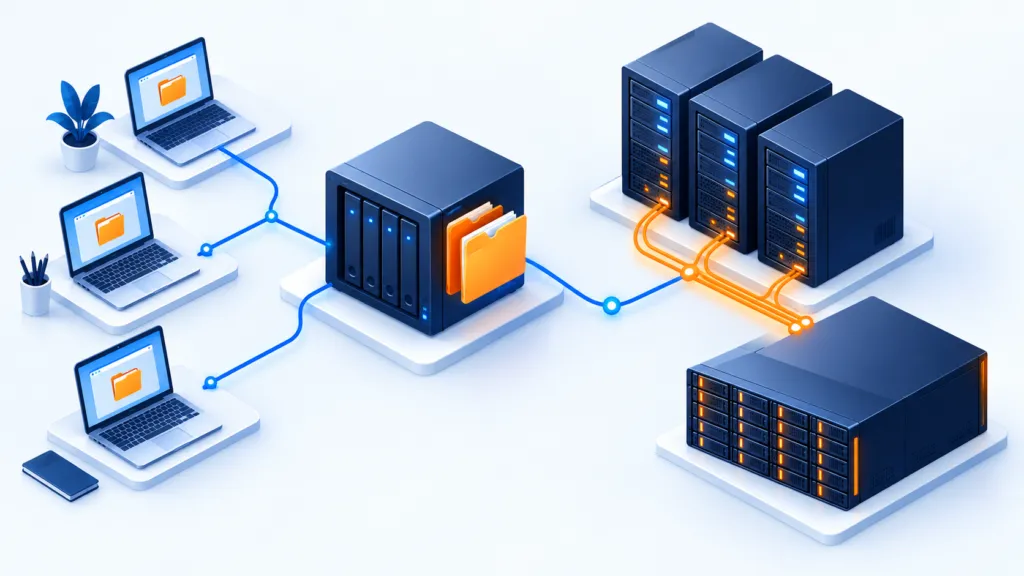
A new client said "yes." Now begins the part where promises meet their systems. At the start of a relationship, even a small mistake can affect trust more than a fault with an established client who knows you. Proper onboarding helps start off on the right foot — and discover surprises before they turn into urgent calls.
The key principles
- Get to know the client's environment
- Documenting and defining responsibility
- Checks before starting service
Onboarding is the process of learning the client's infrastructure and needs, from the start of the engagement until the service is operational. Proper planning reduces errors that harm reliability or cause the client to reconsider the agreement.
Each client comes with their own environment and habits, so there is no off-the-shelf process suitable for everyone. With planning and attention, a smoother transition for both sides can be achieved. The guide consolidates tasks and ways to reduce costly mistakes.
First, get to know the client and the environment
Gather information about the client and the infrastructure they use. The information is necessary for understanding requirements and for preparing a Service Level Agreement (SLA). Usually, it is necessary to collect:
- The company name and the name of the client's representative or contact person.
- Service level.
- Number of servers and their cost.
- Number of workstations and their cost.
- Required services: managed backup, cloud storage, support desk, hardware procurement, security, system management, monitoring, and additional services.
- Existing documentation, preferably with network environment diagrams.
- Server and workstation specifications.
- Information about accounts and access details for systems and equipment.
- Business details: operating hours at each site, and production computers that must not be restarted during working hours.
- Emergency response instructions and contacts, for example in case of a server failure outside of working hours.
- Third-party details for business application support, hardware responsibility, and internet service provider accounts.
Define the service and responsibility
Once the needs are understood, a agreement can be prepared and sent for signing. You may want to draft it yourself, but the source recommends consulting a lawyer to define reasonable protections and limit liability exposure. If there is no permanent legal advisor, a local expert may be consulted.
Say welcome, and explain what happens next
After both parties have signed, send an onboarding document. It opens the connection and provides important information about the company. The source suggests including:
- Introduction to the supplier and the company.
- Description of the setup and technical onboarding process.
- PDF brochure about the services.
- Content or links about the company, such as articles and posts.
- Information on customer reviews.
You can attach a questionnaire about the client's technological environment. Even if you have already collected the information, the questionnaire can verify the findings and give the client a sense of involvement.
Connect people, not just systems
It is recommended that the people who will work with the client get to know them in a meeting or call. This is an opportunity to strengthen the relationship, raise concerns that were revealed during onboarding, and address them. It is pleasant for the client to know who is behind the support, and it is easier for the team to understand what is important to them.
A possible agenda includes:
- Review of the client's technology goals.
- Status of the onboarding process.
- Scheduling dates for regular business review meetings.
- Coordination of monthly reports and expectations.
- Review of internal procedures: usage policy, antivirus, spam filtering, website hosting, and business continuity and recovery.
- Approval of the start date for support services.
The source suggests recording the meeting and sharing it with the client so that there is a shared record. If recording, it should be coordinated with the participants and appropriate access and retention should be set.
A task list that prevents "I thought we already did that"
Prepare a task list and schedule for the project, and share them with the client. This way, you know what needs to happen and when, and you don't rely on 'I thought someone already installed it.' The documents help maintain order and clear expectations.
Bring the client into the service systems
Provisioning, integrating the client's systems into your service systems, is one of the important stages in the process. The source presents a list of possible tasks:
- Set up the client in the PSA system for service management and automation.
- Set them up in the accounting and billing systems.
- Define the SLA in the PSA system.
- Send an internal message introducing the new client to the company team.
- Collect hardware and warranty agreements from manufacturers, software licenses for operating systems, antivirus, dedicated applications, and backup, as well as communication and service agreements and contacts.
- Enter information for emergency support into the PSA system.
- Review administrator access details and permissions and modify them in the relevant places according to an approved transition plan.
- Review firewall rules and adjust them as needed.
List of systems and accesses to be checked
The source specifies the following components as part of the review of administrator and access details:
- Gateway routers, firewalls, and wireless access devices.
- Printers and Ethernet or fiber switches.
- NAS and SAN, virtual machines, and VoIP devices.
- Windows accounts and service accounts, including Administrator, SQL, SA, and SharePoint.
- Administrator accounts on workstations, additional network equipment, and the antivirus console.
- Identify hidden user accounts, service accounts, and access accounts, and handle them as needed.
- Identify members of administration and Domain Admins groups and assess the necessity of their permissions.
- RRAS services, groups, and memberships in remote access groups.
- Review local administrators and service accounts on computers.
- Map the local network to locate devices with IP addresses and inspect them.
- Websites and DNS, VPN access, portals, and remote support programs.
Activate monitoring and remote management
Remote monitoring and management software allows you to manage the client's infrastructure and respond quickly even when you are off-site. Therefore, its setup should be included during onboarding.
- Install agents on servers, workstations, and mobile devices supported by the solution and included in the service.
- Ensure compatibility with existing antivirus software and backup processes.
- Check that monitoring and alerts are working.
Once the system is operational, it can be used to distribute antivirus to the appropriate devices, if the solution's capabilities allow it.
Ensure employees know how to get help
If the client's employees are moving to new support software, dedicate time for focused training. This can be via webinar or on-site. Answer questions and explain how to get help. When the screen is frozen, it is better to know in advance who to contact.
The source also suggests small gestures, such as stickers for screens, as a token of appreciation for the time spent on training.
Finish setup and start service
After completing the preparations, start the service in practice and record the completion of the onboarding in the PSA system. You can send the customer a message confirming that the service has been activated and that the SLA is in effect, to align expectations.
Onboarding is complete. The relationship is just beginning
Even when the setup is complete, the relationship is still new. Continue to check for issues and gaps in expectations. In the first months, the source suggests a monthly review of the process, to give the customer an opportunity to say what works and what still requires adjustment.
The review allows you to identify concerns about the transition, report achieved milestones, for example improving backup reliability or reducing cloud costs as measured, and request feedback on the onboarding. Feedback can also be received via a questionnaire.
An organized start builds trust
Every customer deserves good service, whether new or established. At the start of the relationship, it is especially important to ensure proper collection of information, planning, setup, training, activation, and follow-up. This is the way to turn a good start into a good work habit.