Backup Exec is approaching the end of its lifecycle, and therefore many businesses are exploring what will replace it. Cloud Software Group stopped sales on March 31, 2026, and the full end-of-life date is set for April 30, 2029. What does this mean for you? There is time to prepare and choose a new solution, but it’s better to start now rather than wait until the end of 2028.
In this guide, we will go over the things you should check before replacing the backup system. We will address two types of users: a company that manages the computing for several clients — what is called a managed service provider, or MSP — and an internal IT team that handles one business. If you manage backups for several clients, it is also worth checking how the new solution will help you work day-to-day. Replacing the software is an opportunity to resolve the issues that currently burden you.
When is it advisable to choose an alternative to Backup Exec?
It is advisable to start exploring alternatives while there is still time to compare, try, and learn. These are the key dates for planning the transition:
- March 31, 2026: From this date, the sale of new licenses and renewals will cease.
- April 30, 2029: From this date, no more fixes, security updates, or technical support will be provided by the vendor.
If your support is still valid, there is no need to replace everything under pressure. A proper transition includes setting up the new system, learning it, and checking that it’s truly possible to restore data from it. All of this can take months. When you start early, you can check calmly, fix what needs fixing, and train the team before relying on the new system.
What to check before migrating?
Before opening the product pages and comparing checkmarks, prepare a list of what you are currently backing up. Also write down what is inconvenient for you in the existing system: manual actions, recurring errors, or accounts that are difficult to understand. This list will help you choose according to the business’s needs. Here are the topics you should go over:
Which systems need to be backed up?
Backup Exec was known to work with a wide range of systems: Windows Server, VMware, Hyper-V, SQL Server, and Exchange. It is important to check that the alternative supports the systems you have, and also their exact versions. For example, support for SQL Server does not necessarily mean that transaction log backup is included — these are the records of changes in the database. The same goes for Exchange: mail stored on an on-premises server and mail in Microsoft 365 are two different situations, and you need to make sure the solution fits your situation.
Where do you store the backup?
Backup Exec relied heavily on on-site equipment and backup tapes. If you switch to storing data in the cloud, the payment method also changes. You pay for the software, for the storage space that the backup takes up, and sometimes also for downloading the data back. The system's ability to avoid storing the same data repeatedly is also important. Therefore, it is advisable to calculate all the costs together and not just rely on the price listed next to the license.
How much work does it require?
Think about a regular work week: how often does someone need to check a backup, handle an issue, or log into an additional management screen? New systems can save some of this hassle. The best way to test this is to try out the system with some of your computers or servers and see how much work it actually requires.
What are you paying for?
Over the years, Backup Exec has had several payment models: one-time purchase, subscription, pay-per-volume, software installed on computers, and different editions. Before choosing an alternative, be sure to understand exactly what you are paying for and what is included in the price. Also check what happens when you add a server or increase the data volume. The goal is an account you can understand and plan for.
Will we be able to restore the data when needed?
Today, a backup system is expected to do more than show a green message of 'backup succeeded.' Check if it is possible to keep a copy that cannot be altered or deleted for the set period, how to recover after ransomware, and how to verify that the restoration works. Ultimately, a backup should help at the moment you need to restore files or the system to operation.
Backup Exec alternatives comparison table
To make it easy to compare, we have compiled here all six alternatives and all 11 comparison topics. On a phone, you can scroll the table right and left to see the other columns. Below the table and later in the guide, you will find explanations to help understand the terms.
| Metric | BackupONE* | Veeam | Acronis Cyber Protect | NAKIVO | Commvault Cloud | Datto SIRIS |
|---|---|---|---|---|---|---|
| Mainly suitable for | Managed service providers and IT teams | Enterprise IT and service providers | Small and medium businesses and IT teams | Small and medium businesses and service providers | IT in large organizations | Managed service providers |
| How is the system operated? | Cloud-managed agent | On-premises / cloud | On-premises / cloud | On-premises / cloud | Cloud management | Cloud-managed backup appliance |
| Where is the backup stored? | Storage of your choice, S3 compatible | Self-storage or Veeam Cloud Connect | Acronis Storage or self-storage | Self-storage or NAKIVO Cloud | Self-storage or Commvault cloud | Datto Cloud by default; SIRIS Private is available |
| Windows Server | ✓ | ✓ | ✓ | ✓ | ✓ | ✓ |
| VMware / Hyper-V | ✓ (CBT) | ✓ (CBT) | ✓ | ✓ (CBT) | ✓ | ✓ |
| SQL Server | ✓ Includes transaction log backup | ✓ | ✓ | ✓ | ✓ | ✓ |
| Microsoft 365 | ✓ | Via plugin | ✓ | ✓ | ✓ | Using Datto SaaS Protection, a separate product |
| Backup protected from modification | ✓ S3 Object Lock | ✓ | ✓ | ✓ | ✓ | ✓ |
| Managing multiple clients | ✓ | Using the VCSP program and separate licensing | Limited | ✓ Up to 100 client environments | Using the partner program | ✓ |
| How is payment determined? | By the system being backed up | By the system being backed up (VUL) | By system or volume in GB | By VM / processor socket | By data volume | By the standard |
| Trial period* | 15 days* | 30 days | 30 days | 15 days | 30 days | Demo only |
Help reading the table: The ✓ symbol indicates support for a capability, subject to version and plan. “On-premises” means the system runs on the business’s equipment; “Cloud” means a service operated over the internet. An agent is the backup software installed on the device. VM is a virtual machine, and GB and TB are volume units. CBT tracks the parts that have changed, and S3 Object Lock is a mechanism that protects a copy from modification and deletion for a set period. License plan names remain in the table so you can recognize them in the vendor proposal.
* The data is not a commitment to a specific BackupONE package. Trial periods, including 15 days, are subject to availability and approval. Before purchasing, check with each provider what is included in the version and plan offered to you.
Managing IT for several clients? Here are the options
When managing Backup Exec for many clients, you may find yourself doing the same work over and over: setting up backups, checking that they worked, and handling issues — for each business separately. It is also difficult to get a single view of the status of all clients. When choosing the next system, it's worth checking how it centralizes the work and reduces running back and forth between installations.
What should you look for when managing backups for multiple clients?
- A single screen that displays all clients, so you don’t have to log into each installation separately.
- The ability to generate a clear report for each client without switching between multiple systems.
- The option to choose who holds the storage account: you, the client, or both of you, as needed.
- Payment based on the systems being backed up, with the option to add systems as the client grows.
- Support for what the clients actually have: servers, VMware, Hyper-V, SQL, Exchange, and Microsoft 365 services.
BackupONE — Managed Backup
Who might this be suitable for? For those who manage backups for several clients and want to choose where each client's information is stored.
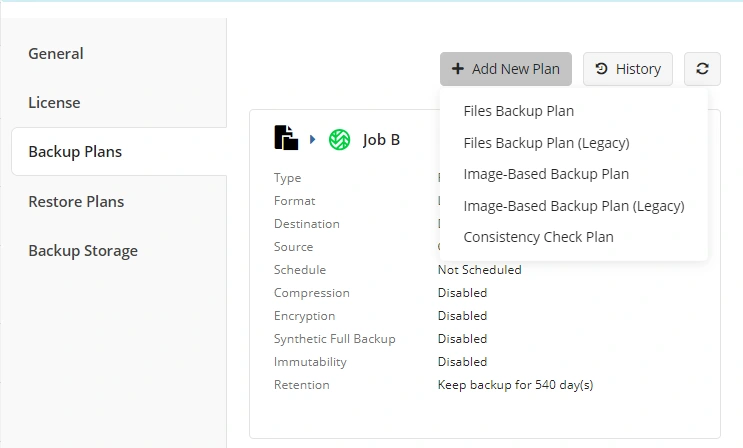
In this work method, you enter a central management screen via the internet. From there, you can install backup software on computers, set what and when to back up, monitor the results, and generate reports. This way, there is no need to repeatedly access each client's computer to perform the usual operations.
In a managed backup plan, it is advisable to check the following options. Next to each option, you will find a brief explanation of what it does:
- File backup as well as Image backup for Windows servers and computers. An Image is a copy of the system or disk that helps restore more than individual files.
- Support for VMware vSphere in versions 6.0–8.0. This includes snapshot that considers running applications, as well as Changed Block Tracking (CBT) — tracking parts of information that have changed in order to back them up.
- Hyper-V, including Failover Cluster — a group of servers that can replace each other in case of failure. You can also check for support for CBT and the GFS method, which keeps copies in different cycles, for example daily, weekly, and monthly.
- Backup of SQL Server and Exchange Server that is located in the business, taking into account the way the software stores information. Support for transaction logs, which record changes in the database, is also included.
- The option to also back up Microsoft 365 and Google Workspace services through the same platform.
You can choose where to store the backup: for example on AWS S3, Backblaze B2, Wasabi, Azure, IDrive e2, or with another provider that works with the S3 standard. With providers that support it, you can also protect the copy from modification and deletion. When the storage account is under your control, you have more control over your relationship with the storage provider. Payment in this model is based on what is backed up — for example, a server, a computer running virtual machines, or a SQL system — instead of purchasing a large storage package in advance. The options to be included in BackupONE's proposal for your business should be tailored and checked according to your needs.
NAKIVO Backup & Replication
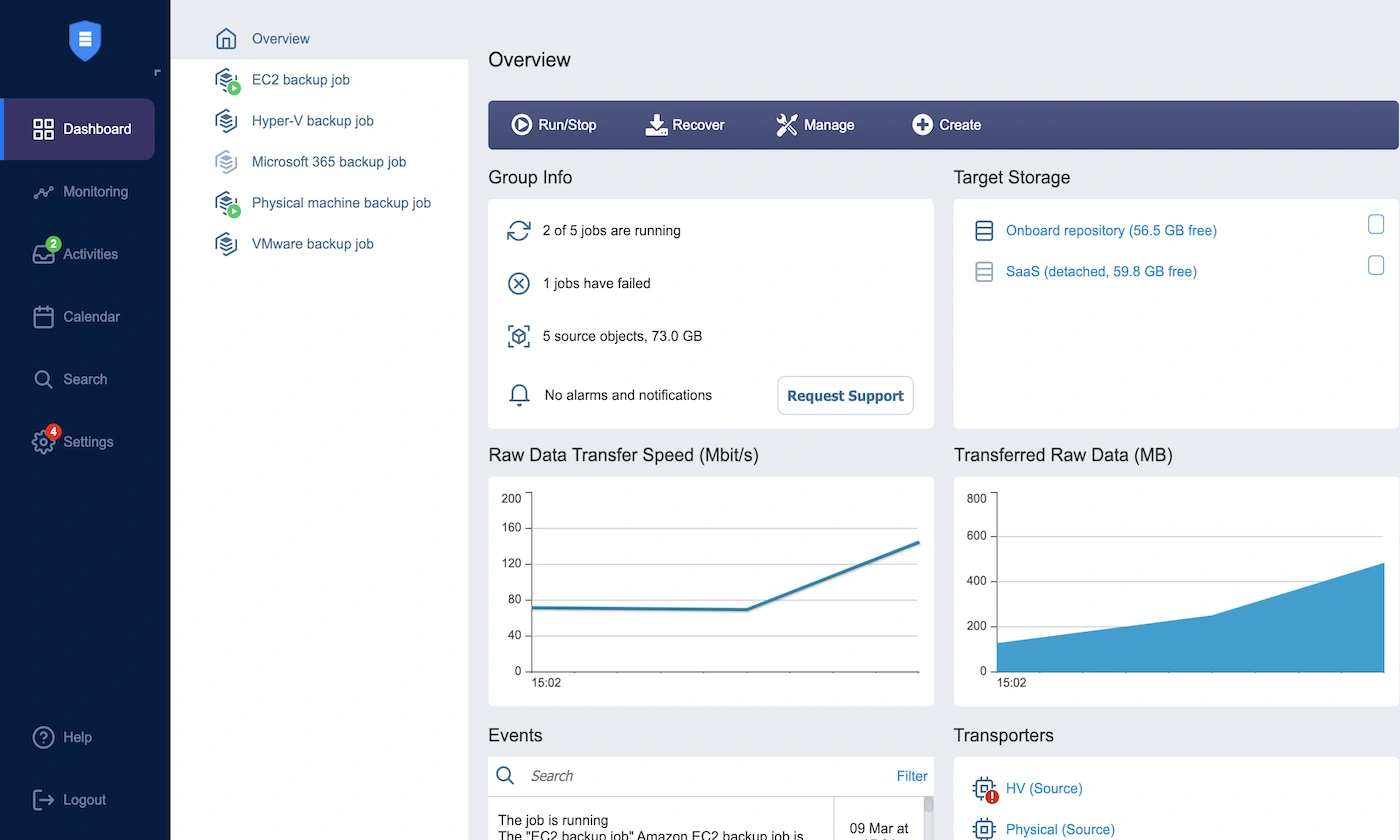
Who might this be suitable for? For businesses that use virtual machines extensively and want to maintain their backup budget. A virtual machine is a computer that runs as software inside another computer.
NAKIVO tries to offer a combination of price and capabilities. It backs up VMware, Hyper-V, Nutanix AHV, regular Windows and Linux computers and servers, and also Microsoft 365. It includes backup of only the changed parts, using CBT, the ability to quickly restore a virtual machine to operation, and protection of the backup from modification. Installation can be quick, sometimes in less than an hour, and the management interface is relatively simple. It's worth trying it in your environment to see if the experience is similar.
For someone managing multiple clients, it is possible to manage up to 100 separate environments through the browser. There is also a connection called Direct Connect, without needing to change the client's firewall settings. Alongside the advantages, there are user reviews about limited options for modifying reports and alerts. Also, automatically generating billing for the client may be less developed than in systems dedicated to service providers. If you have a medium-sized virtual environment and a limited budget, it is recommended to conduct a small-scale trial — a pilot — and check for suitability.
Datto SIRIS
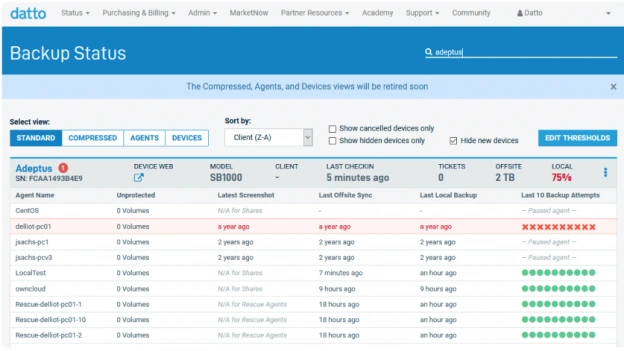
Who might this be suitable for? For service providers who want a solution based on a backup device, and helps the client return to work in case of a major failure or disaster.
Datto operates slightly differently: a physical or virtual backup device is installed in the business. It keeps a local copy and automatically copies it to Datto's cloud as well. This way, there is a nearby copy that can be quickly restored from, and another copy off-site in case the local equipment is damaged. This can be especially convenient for a client who does not yet have their own cloud storage solution.
It is advisable to pay attention to where an additional copy can be sent. In the regular plan, it is stored in Datto's cloud. There is also SIRIS Private, in which the backup is copied between two SIRIS devices without using Datto's cloud. It is intended to address separation and compliance needs, for example in healthcare and financial institutions. This does not mean that you can choose any storage provider you want. If it is important for you to select the cloud provider and control its costs, carefully check what the offered configuration allows.
Are you managing your business's IT?
The IT team of a business usually has to handle many things, with a limited number of people and a budget reviewed every year. Anyone who has worked with Backup Exec is already familiar with the system and how to manage it. Therefore, it is advisable that the new system meets the needs without requiring an employee who takes care of it exclusively or an expensive project to set up equipment and infrastructure.
When comparing prices, it's easy to forget the equipment that is already in the office: tape systems, drives, or NAS — a device that stores files and is connected to the network. Even equipment that has already been purchased requires maintenance, care, and eventual replacement. In long-term calculations, it's worth accounting for hardware replacement, for example on a 5–7 year cycle. Moving to the cloud can replace some of the large purchases with a monthly fee and reduce some of the equipment handling workload for the team. To check if it is cost-effective, these costs should also be included in the calculation.
- Setup that can be done without entering a long and complicated project of consulting and installations.
- Support for all systems in the business, without paying for editions and add-ons that aren't needed.
- A clear price that includes both software and storage in the calculation.
- The ability to restore files and systems for use when needed, after verifying that it actually works.
- Practice for returning to work after a failure, and especially after a ransomware event.
BackupONE — Backup for a single organization
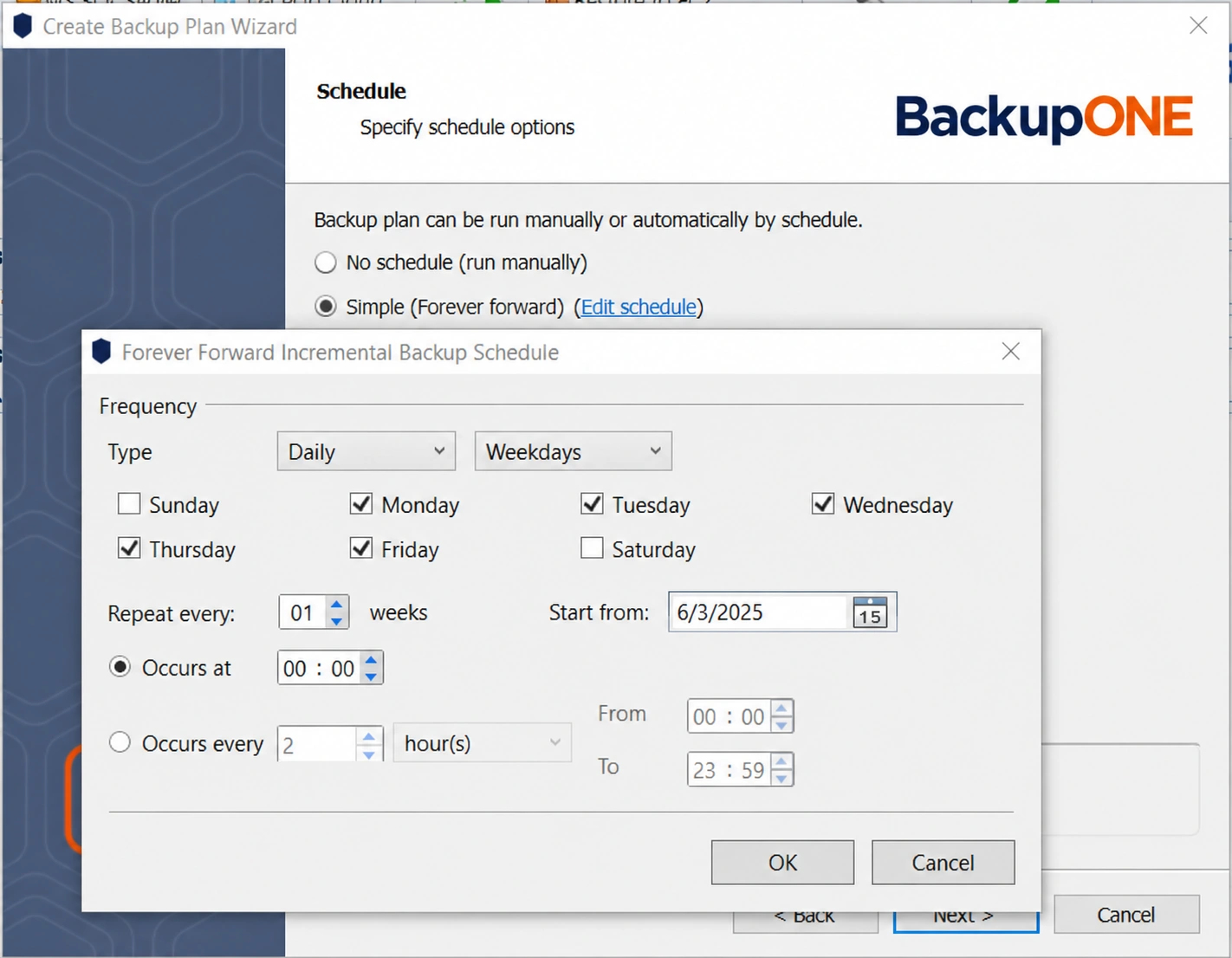
Who might this be suitable for? For small and medium IT teams who want a simple and cost-effective backup solution, including for virtual machines.
This plan is intended for a single business. A small backup software is installed on the computer or server — such software is called an “agent.” In the same interface, backups are set up and managed without having to set up a separate server just for management. These are the options worth checking:
- Backup of files on Windows Server or a copy of the entire system (Image), with the option to choose when to back up and how long to keep the copies.
- VMware and Hyper-V backup using CBT: after the initial backup, only the changed parts are backed up to reduce work and data transfer.
- In SQL Server, you can back up databases and their transaction logs, select only certain databases, and determine how long to keep the backups.
- It can be stored in the cloud, on equipment located in the business, or a combination of both. This way, one copy can be kept nearby for quick restoration and another copy offsite in case the location or equipment is damaged.
Payment for this plan is determined based on the device being protected. Before choosing, you need to verify which computers and servers are included and exactly what is backed up on each. The BackupONE plan, options, and price suitable for your business are determined within a formal proposal.
Veeam Data Platform
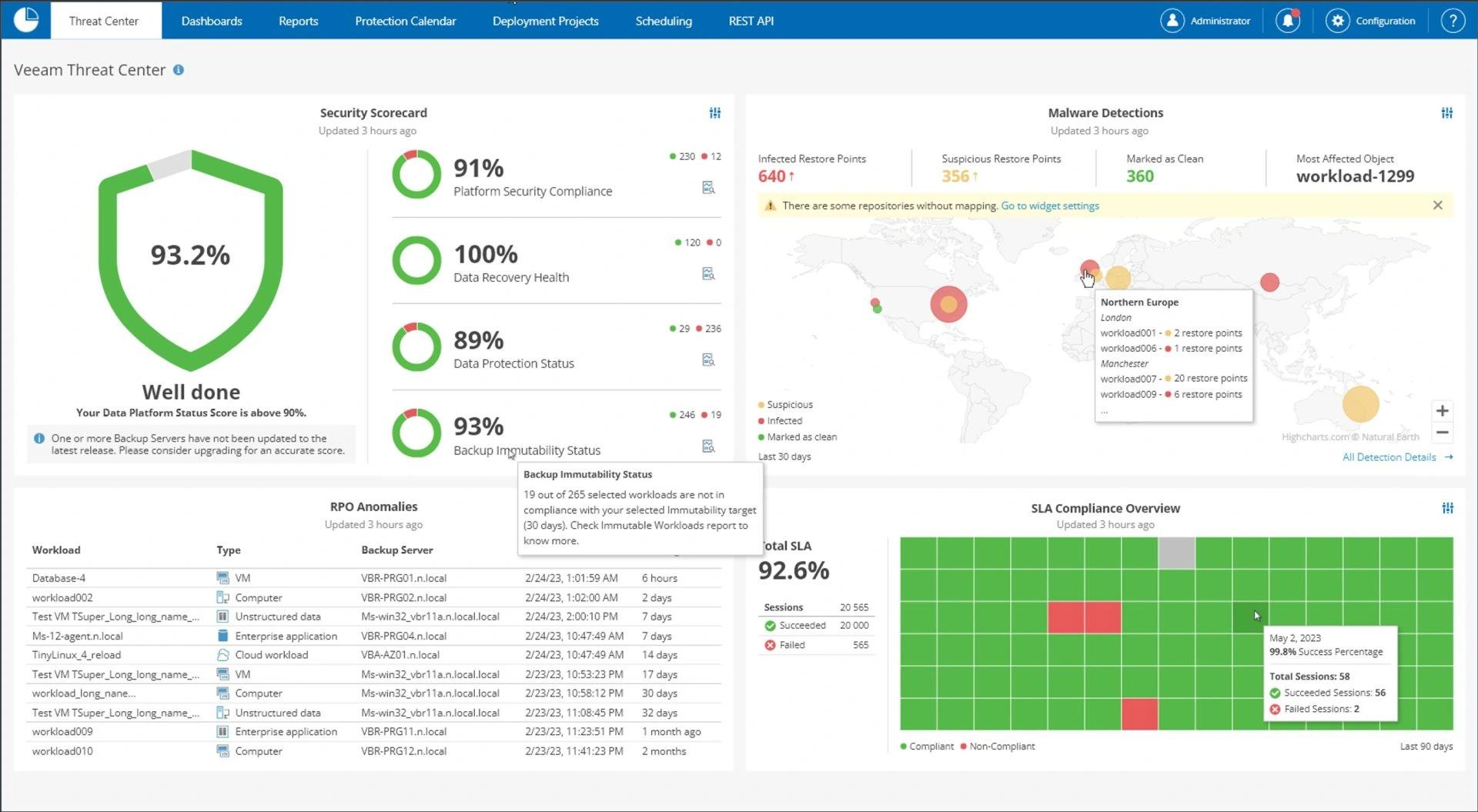
Who might this be suitable for? For IT teams in large organizations that have many virtual machines.
Veeam is a very common system in organizations, with well-established and documented tools for backing up and restoring virtual machines. It works with VMware, Hyper-V, regular Windows and Linux servers and computers, and also systems that operate in the cloud. It offers options for protecting backups from alteration, and there is a community of many companies and partners providing services and support.
If you are a service provider managing many clients, working within Veeam's VCSP program adds complexity. There is a license called Universal License, or VUL, where you pay according to the systems you are protecting. An example price range is $250–$450 per year per backup unit, and for budget planning, you should also consider a price increase of 4%–8% in 2025 and 2026. These are comparison figures only, not a verified current price list. Request an updated quote and also calculate what the system will cost over several years. For a large organization with a person responsible for backups, this is one of the options worth checking.
Acronis Cyber Protect
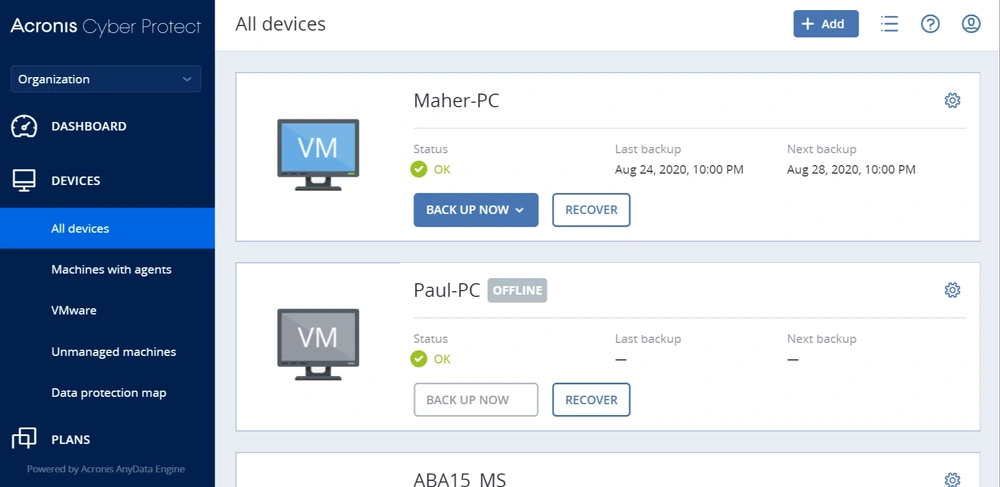
Who might this be suitable for? For teams that want to receive backup and protection for their computers within a single solution.
Acronis combines backup, antivirus, and protection for users' computers in one software installed on the device. Sometimes this makes work easier, and sometimes you also pay for things that the business already has. If you have already purchased a separate security solution and are satisfied with it, the combined package does not necessarily save money. On the other hand, a small team that wants to work with one provider for both areas may find an advantage in it.
Acronis supports Windows, macOS, Linux, VMware, Hyper-V, and Microsoft 365, and also provides the option to keep backup protected from changes. You can use Acronis Cloud managed storage, but you need to add the payment per GB to the calculation. This choice also affects the level of control over where the information is stored. Therefore, it is advisable to check the storage together with the software price and not discover the difference only on the bill.
Commvault Cloud
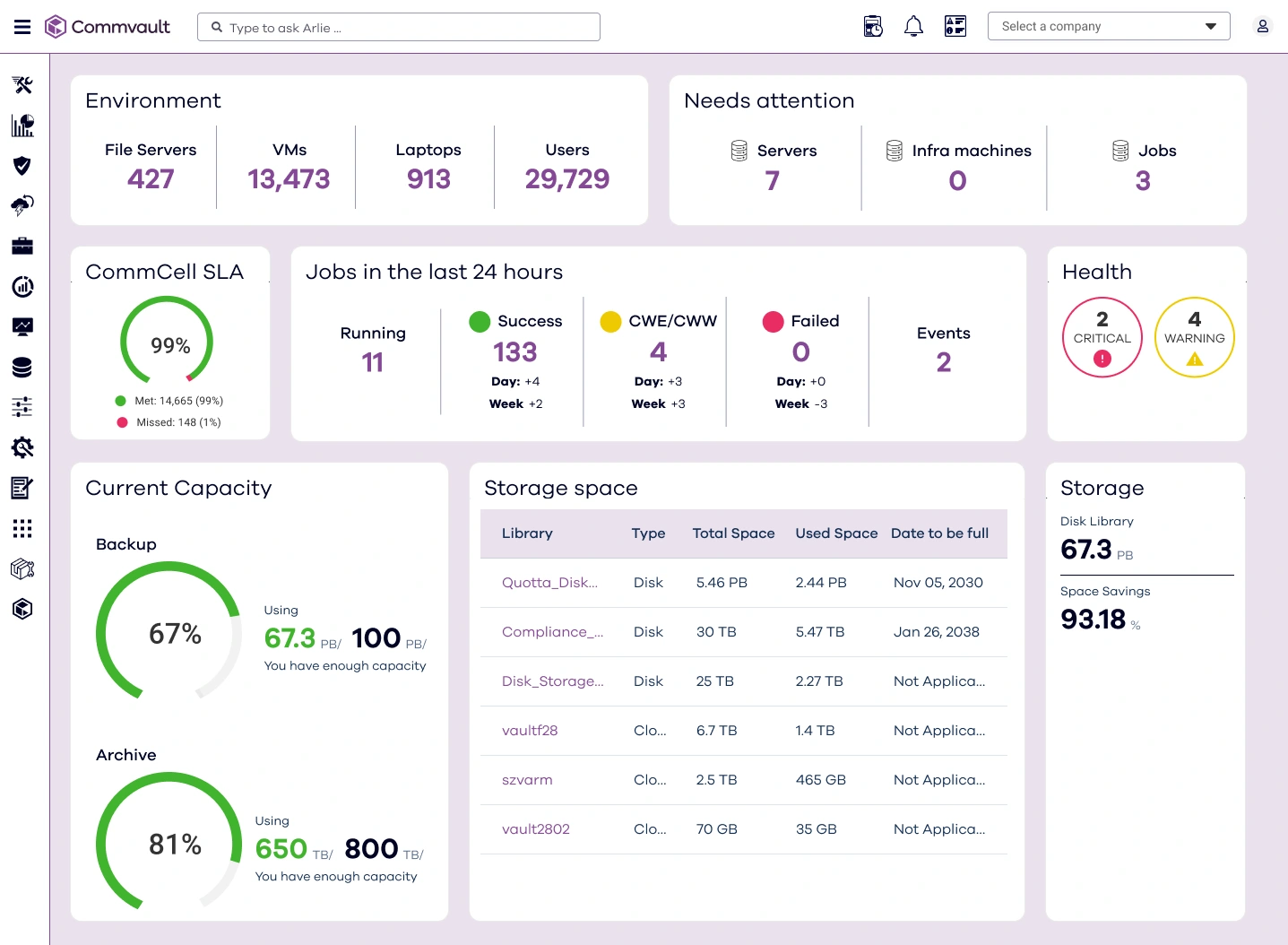
Who might this be suitable for? For large organizations that need to comply with strict rules regarding data preservation and protection.
Commvault is an option worth considering when there is a need to meet legal and organizational requirements, determine who is responsible for the data, and document what is done with it. It covers virtual machines, databases, containers — environments for running applications — software that works as a service on the internet, cloud applications, and user computers. It is also possible to set complex retention rules, for example, different periods for different types of data.
These capabilities come with increased complexity and cost. Implementation usually requires professional assistance, and licensing needs to be carefully calculated before committing. For a small business or a client with a relatively simple system, this may be more than necessary. On the other hand, a network of clinics or a financial entity with strict requirements might want to include it among the options they consider.
Which alternative suits you?
If you manage backups for several clients and want to choose where the data is stored, it’s worth checking a managed backup like the BackupONE path. If you are an IT team in a large organization with many virtual machines and one person managing the backup, Veeam can be included in the review. When the main requirement is compliance and monitoring of information, it’s worth examining Commvault. And if you mostly work with virtual machines on a limited budget, you can start with a small trial of NAKIVO. Also use the sections on Acronis and Datto and the table to compare against your specific needs.
Don’t settle for asking which software looks most like Backup Exec. It’s worth listing what bothered you until now and checking that the alternative really improves the situation. Otherwise, you might end up with a new name and the same cumbersome work. The transition is also a good time to improve the way the backup is structured and managed.
What does the migration really cost?
The license price is only part of the story. To understand how much the transition will actually cost, add the following three items to the calculation:
The equipment and location where the backup is stored
There are also costs for tapes and NAS equipment in the office, even if they appear in the equipment budget and not in the backup budget. When moving to wider use in the cloud, part of the purchase and replacement of equipment is replaced by ongoing payment for storage. This is a possible way to save and reduce hardware purchases in the future. Whether it actually saves for you, and by how much, needs to be checked based on your amount of data and equipment.
Management time
Count how many hours per week the team spends checking backups, tracking tasks, and handling issues. These hours have a cost, even if there is no separate invoice for them. A central management dashboard and clear alerts can save repeated checks and free up time for other tasks. In the trial of the new system, this time should also be measured.
How much does it cost to restore the data and how much space does it take?
The difference can be illustrated with example prices: $6.95 per TB at Backblaze B2 versus about $23 per TB at AWS S3 Standard. These are example prices and not a current offer. The actual price can vary according to the storage region, the amount, the operations performed on the system, and the data traffic. Also ask how much it will cost to download the backup in case of a large restore. It is important to understand how much it costs to retrieve the data, not just how much it costs to keep it in the cloud.
CBT is a way to track the parts that have changed and back them up, instead of transferring information that hasn’t changed. This way, the amount of data sent each day can be reduced. The reduction can reach 80%–90% compared to a regular incremental backup, depending on the environment. This is not a guaranteed number for every business: the result depends on the system and the amount of changes. It is advisable to measure this during the trial with your own data.
To calculate the total cost — the so-called TCO — collect your software and storage expenses as well as the list of computers, servers, and systems that are backed up. Also add labor time and potential recovery costs. Compare the total to the new solution and the storage provider you chose. You can use a dedicated cost calculator. To check costs within BackupONE, you can contact us with your system details..
Additional topics worth knowing
It is also worth getting to know RMM tools — software that allows you to monitor and manage computers remotely — in a free version and community edition, and manage updates at no cost. It is also advisable to examine the Watchdog mechanism, which is intended for automatic monitoring, and RMM updates in version 2.5. Other topics include free backup software, future options for immediate recovery, ways to reduce Microsoft 365 expenses, guides for backing up Office 365 and backing up SharePoint. You should also check if the provider offers a price guarantee and what the conditions are. This does not mean that a free tool, future capability, or such a price guarantee is included in the BackupONE service; you need to check what is available and what is included in the offer.
Two more topics worth getting familiar with are choosing a backup for Microsoft 365 and choosing a backup for Google Workspace. In our knowledge center, you can read about instant recovery, learn what RTO and RPO mean — how long you can be down and how much data you can afford to lose — or move to all the articles.
Moving to the right alternative
Backup Exec is approaching the end of its life. There’s no need to panic, but it’s worth setting a date to start testing and deciding who is responsible for the transition. This is also an opportunity to look at the entire backup system: what is being backed up, where it is stored, and how to restore business operations when something goes wrong.
A suitable backup system combines backing up important systems, cloud storage with control over the storage account, management from a single place, and payment that matches the usage scale. Before choosing, try the solution in practice. Make sure it works with your versions, perform a recovery, and check the complete account. This way, you can make a decision based on what happens in your business.
Before committing, it’s worth comparing the total cost and checking the possibility of a 15-day trial. In BackupONE you can request a compatibility check and a business proposal.; If there is an option for testing or a trial period, the conditions will be set separately. The goal is to build a backup that can be relied upon and know how to return to work, with a proper combination of cloud, local equipment, and protection of the various systems.